The Process of Building an RPM Package⚓︎
Overall Process⚓︎
- Based on PR, create a configuration file in the oepkgs-management repository for repository creation.
- Add the source code files required for building to the https://gitee.com/src-oepkgs/ repository generated in step one.
- The webhook in the repository will automatically trigger a building task.
Create a Repository Based on PR⚓︎
Submit a PR in the oepkgs-management repository and provide two configuration files. Once the PR is merged, the ci-robot will automatically create a repository under src-oepkgs.
*Note*:
- The oepkgs repository classifies packages by domain and category, and each domain and category of packages are maintained by different sig groups.
Here are the two configuration files in the oepkgs-management repository (using nginx as an example):
# Create a SIG group for the virtualization domain under the sig directory in the oepkgs-management repository
# Create the oepkgs-management/sig/virtual/sig-info.YAML file
oepkgs-management/sig/virtual/sig-info.YAML:

# The name of the SIG group, generally related to the software package domain
name: virtual
description: "To support the field of virtual"
mailing_list: NA
meeting_url: NA
mature_level: startup
# The manager of the SIG group
maintainers:
- gitee_id: lipingEmmaSiguyi
  name: Ping Li
  orgnization: Huawei
  email: liping136@huawei.com
# The repository managed by the SIG group
repositories:
- repo:
  - src-oepkgs/nginx
  committers:
  - gitee_id: lipingEmmaSiguyi
    name: Ping Li
    email: liping136@huawei.com
Note:
- If an open source software project is to be included in the existing sig groups of oepkgs, a repository creation pull request should be submitted. Modifications can be made based on the corresponding sig-info.YAML file of the relevant sig group. Although it is not mandatory to include the open source software project in the oepkgs repository, a new sig group needs to be created in such cases.
Here are the explanations of the sig-info.YAML fields:
| Field | Explanation | Required or not |
|---|---|---|
| name | The name of the sig group, usually related to software package domain | ✓ |
| description | Description of the sig group | ✓ |
| mailing_list | The subscription email address of the sig group | × |
| meeting_url | The meeting link of the sig group | × |
| maintainers | The managers of the sig group, responsible for reviewing and merging PRs in the source code repositories under the sig group | ✓ |
| repositories | The source code repositories under the sig group | ✓ |
| committers | The committers of certain source code repositories under the sig group, responsible for reviewing and merging PRs relevant to the repositories | ✓ |
# Create a YAML file for the repository under oepkgs-management/sig/virtual/src-oepkgs/first-letter of the repository name/the repository name.
# Ci-robot will automatically create a repository based on this file.
oepkgs-management/sig/virtual/src-oepkgs/n/nginx.YAML:

# The name of the repository
name: nginx
description: "nginx is a generic and open source processor emulator which achieves a good emulation speed by using dynamic translation"
# The upstream repository address
upstream: https://github.com/nginx/nginx.git
# The repository branches
branches:
- name: master
  type: protected
- name: openEuler-20.03-LTS-SP3
  type: protected
  create_from: master
- name: openEuler-22.03-LTS
  type: protected
  create_from: master
type: public
Explanation of repository configuration file fields.
| Field | Explanation | Required or not |
|---|---|---|
| name | The name of the package (source code repository) | ✓ |
| description | Description of the software package | ✓ |
| upstream | The upstream repository address of the software package | ✓ |
| branches | The branches of the repository. For branch management of the oepkgs mirror source, please refer to the oepkgs branch management document | ✓ |
Add the Source Code Files⚓︎
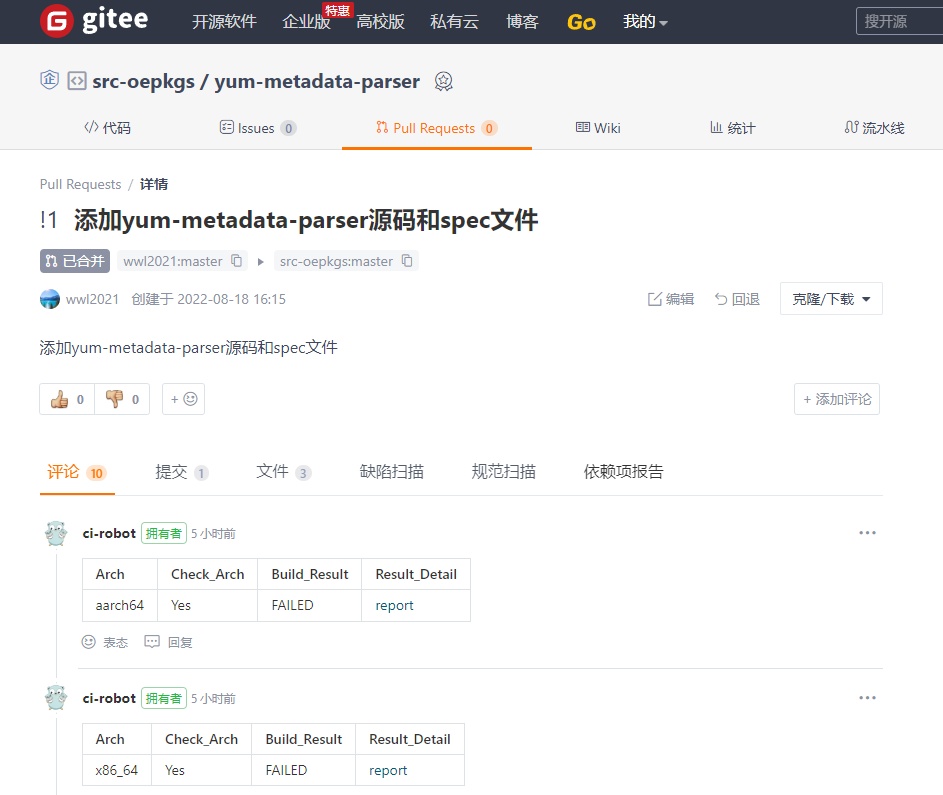
After completing step one, a repository will be generated at https://gitee.com/src-oepkgs/nginx within 5 minutes. Please submit a Pull Request to this repository within that time frame to add the necessary source code files:
These files are the nginx.spec file that can be used to support the generation of RPM packages, as well as the nginx-2.12.0.tar.bz2 source code package. Please refer to: https://gitee.com/src-oepkgs/nginx.
After submitting the Pull Request, a Build Test will be conducted within 5-30 minutes. The results of the test will be commented on the Pull Request, and it is recommended to merge the PR only after the Build_Result displays as SUCCESS.
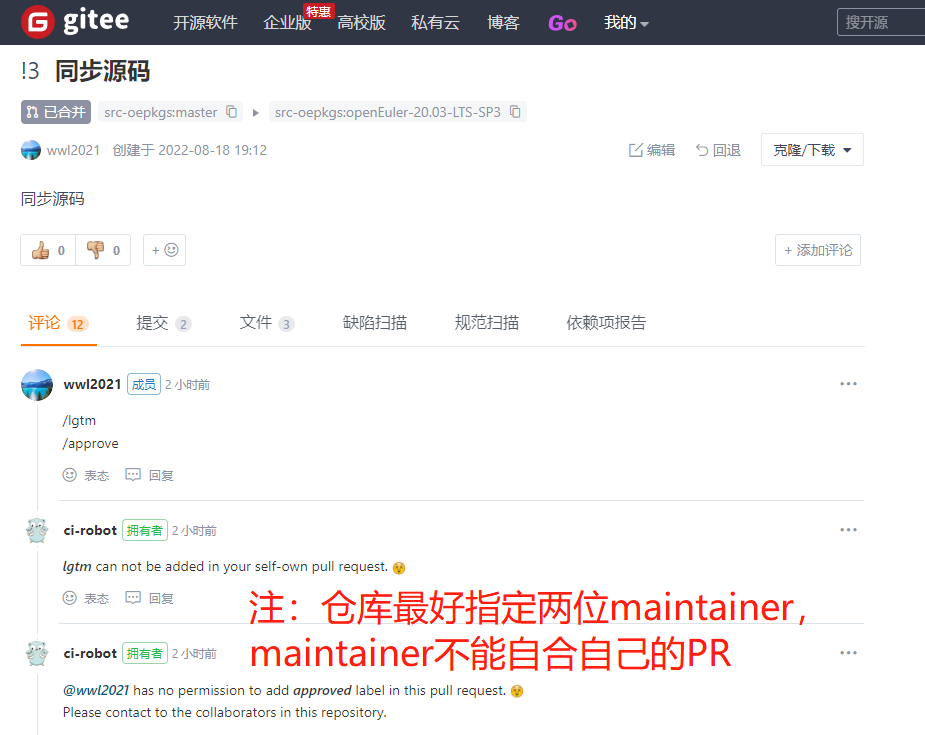
The maintainer specified in the configuration file oepkgs-management/sig/virtual/sig-info.YAML can approve the PR by commenting /lgtm and /approve under the PR.
After the PR is merged, the build and installation test results will be provided under the merged commit. The package will also be uploaded to the targeted internal testing repository "testing_repo". If the test results are successful, it will be updated in the "oepkgs_repo" the next day. (Note: "oepkgs_repo" is updated daily at midnight and the test results will only indicate the expected location of the "oepkgs_repo").
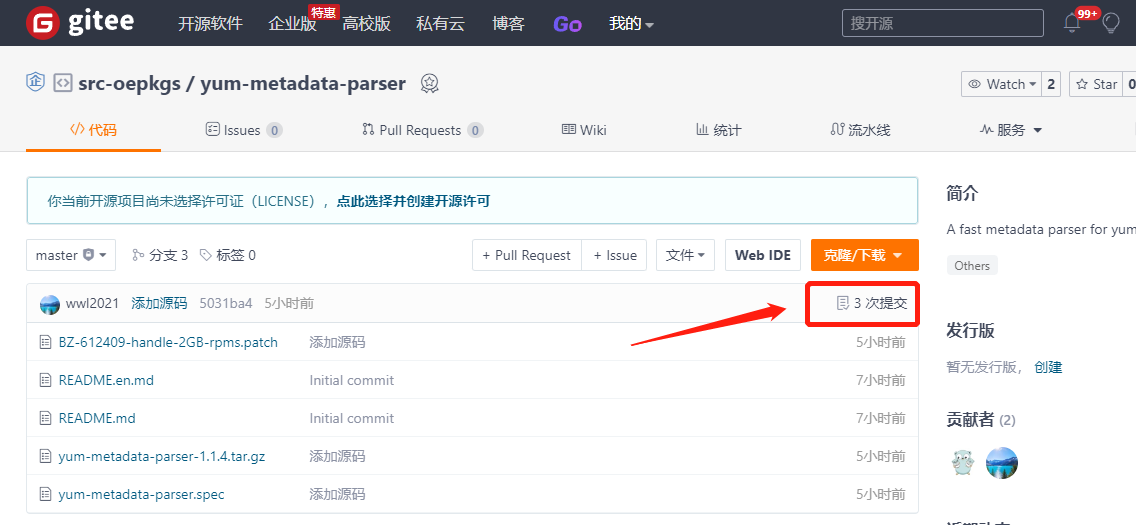
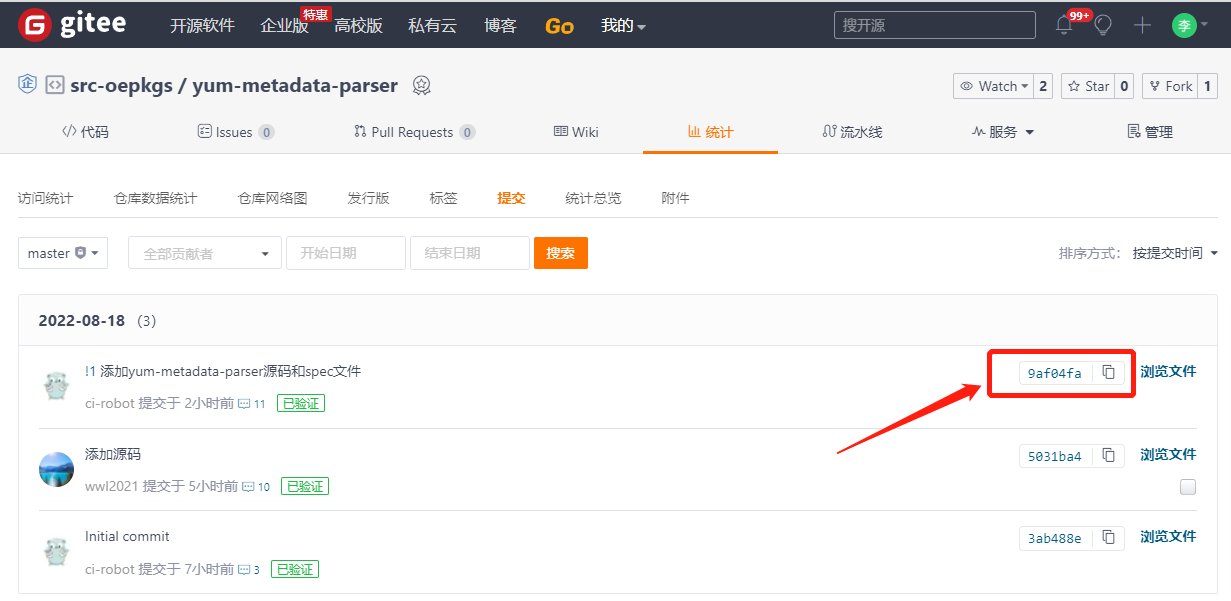
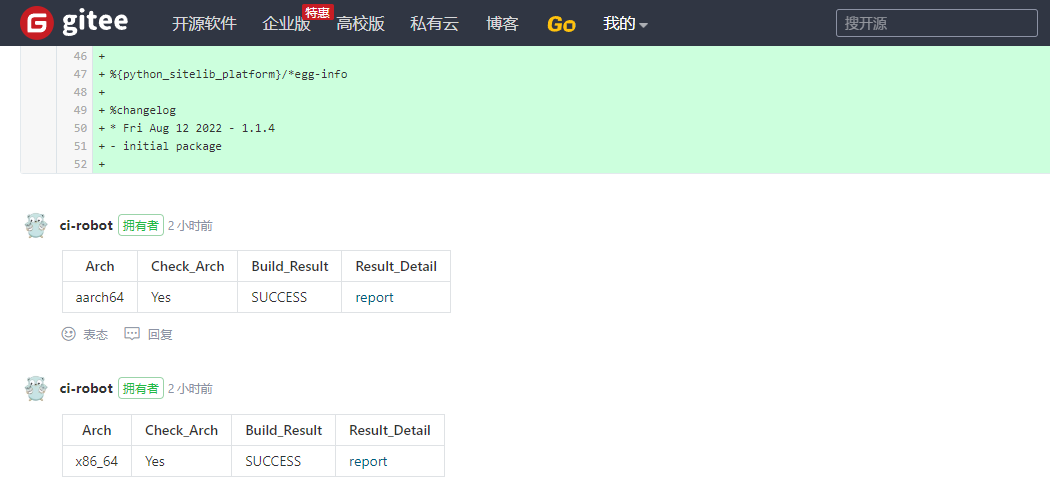
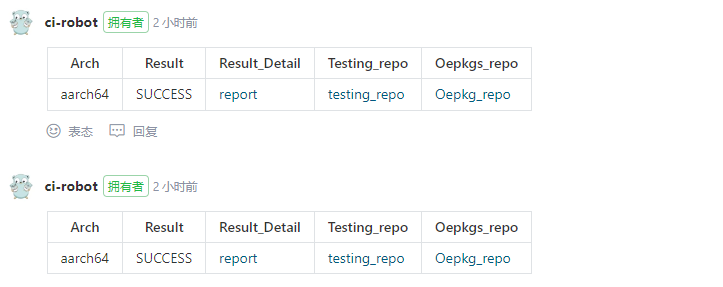
The following actions are all automatically completed by the compass-ci building system and do not require any user intervention. However, if you want to gain deeper insight into the package building process, you may continue reading.
Automatic RPM Package Building Workflow Based on Webhooks⚓︎
- The repository webhook automatically triggers the package building task submission.
- Check the logs to determine if the build was successful.
- If successful, proceed with automatic installation and testing; if not, analyze the log to identify and address the issue.
- If the build/installation and testing fail, analyze the log to identify and address the issue.
Automatic Submission of Building Tasks via Webhook⚓︎
submit rpmbuild.YAML (rpmbuild.YAML is the configuration parameter file for building packages)
# Test Case Name
suite: rpmbuild
# Test Case Path ~ /lkp-test/tests/rpmbuild
rpmbuild:
# Remote repository source code package address
upstream_repo: https://gitee.com/src-oepkgs/nginx
# The location of the built package repository will be placed in the contrib / $sig repository.
  custom_repo_name: contrib/virtual
custom_repo_name: contrib/virtual

# When the test machine is a virtual machine:
testbox: vm-2 p8 g
arch:
  - aarch64
  - x86_64
os: openeuler
# This parameter is determined by the branch of the repository that the source code file is merged into
os_version: $upstream_branch

#  When the test machine is a container:
# testbox: dc-8 g
# arch:
#  - aarch64
#  - x86_64
# docker_image: $upstream_branch
Review the Log to Determine If the Build was Successful⚓︎
2.1 Comment on a Repository's PR by Using the Built-in Project Review System⚓︎
Script rpmbuild⚓︎
When submitting rpmbuild.YAML, the test case rpmbuild will reference the script at
https://gitee.com/wu_fengguang/lkp-tests/blob/master/tests/rpmbuild to execute rpmbuild -ba *.spec based on the information provided by rpmbuild.YAML.
If the build is successful, the upload_rpm_pkg function will be used to first put the generated package on the test machine into /srv/rpm/upload, and then the update_repo_mq function will handle the uploaded package. The processed package will be stored in /srv/rpm/testing and updated to /srv/rpm/pub at midnight every day, which is the repository at https://repo.oepkgs.net/openEuler/rpm/.
Test the package for proper installation⚓︎
You can view automated build tasks without the need for submission. Comment on the repository PR in the form of a comment.)⚓︎
Manually submit install.YAML⚓︎
with the following parameters:
mount_repo_addr: The repository address where the built package is located
mount_repo_name: Repository branch
srpm_name: The built rpm package without .rpm extension
suite: install-rpm
category: functional
install-rpm:
rpm_name: xxxx
os: openeuler
os_version: 22.03-LTS
testbox: vm-2 p8 g
arch: aarch64
#testbox: dc-8 g
#docker_image: openeuler:22.03-LTS
mount_repo_addr: https://api.compass-ci.openeuler.org:20018/rpm/testing/openeuler-22.03-LTS/compatible/c7/aarch64
mount_repo_name: compatible/c7
Resolving Failed Automated Builds⚓︎
Finding the Cause and Resolving the Issue⚓︎
By referring to section 2.1, the reason for build failures can be identified, and re-building can be performed step-by-step in a virtual machine/container to fix the issue. Once the source code and spec file have been fixed, they can be placed back into the repository.
QA⚓︎
How to create a PR for establishing a repository?⚓︎
To create a repository on https://gitee.com/oepkgs/oepkgs-management/:
1. First fork the repository to your own account
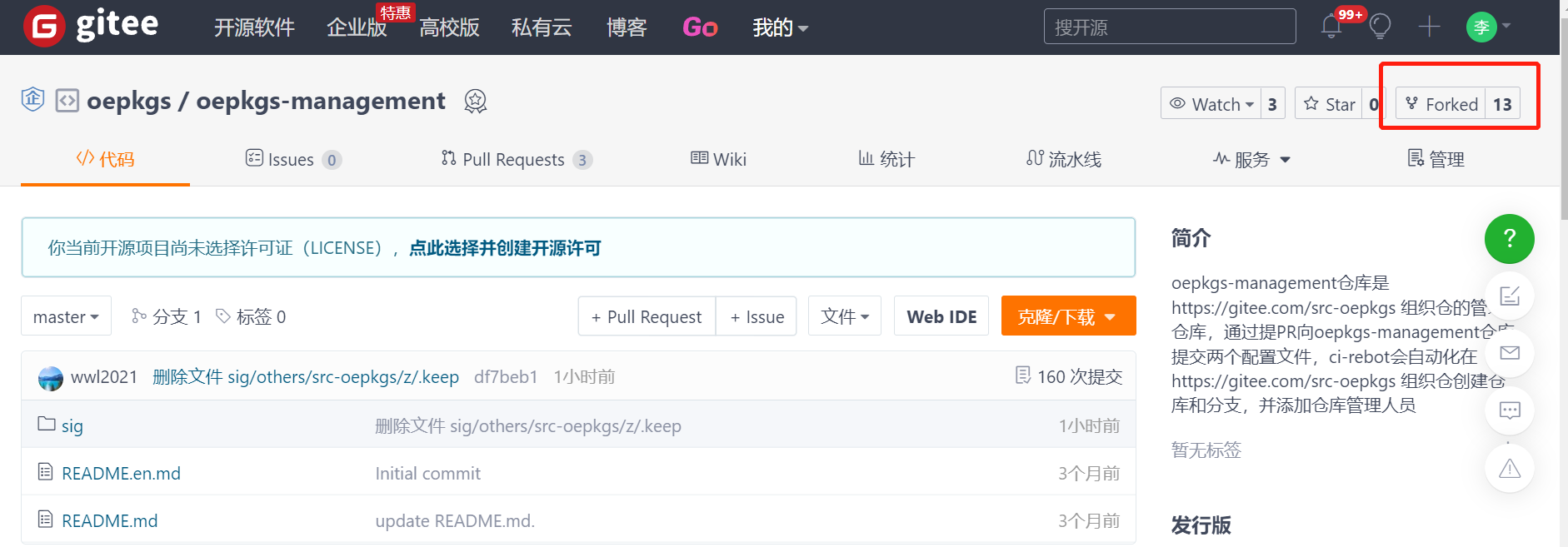
2. Clone the forked repository to your local machine, add two configuration files, and push them to the forked repository.
3. Submit a pull request of the changes from your own repository to the enterprise repository.
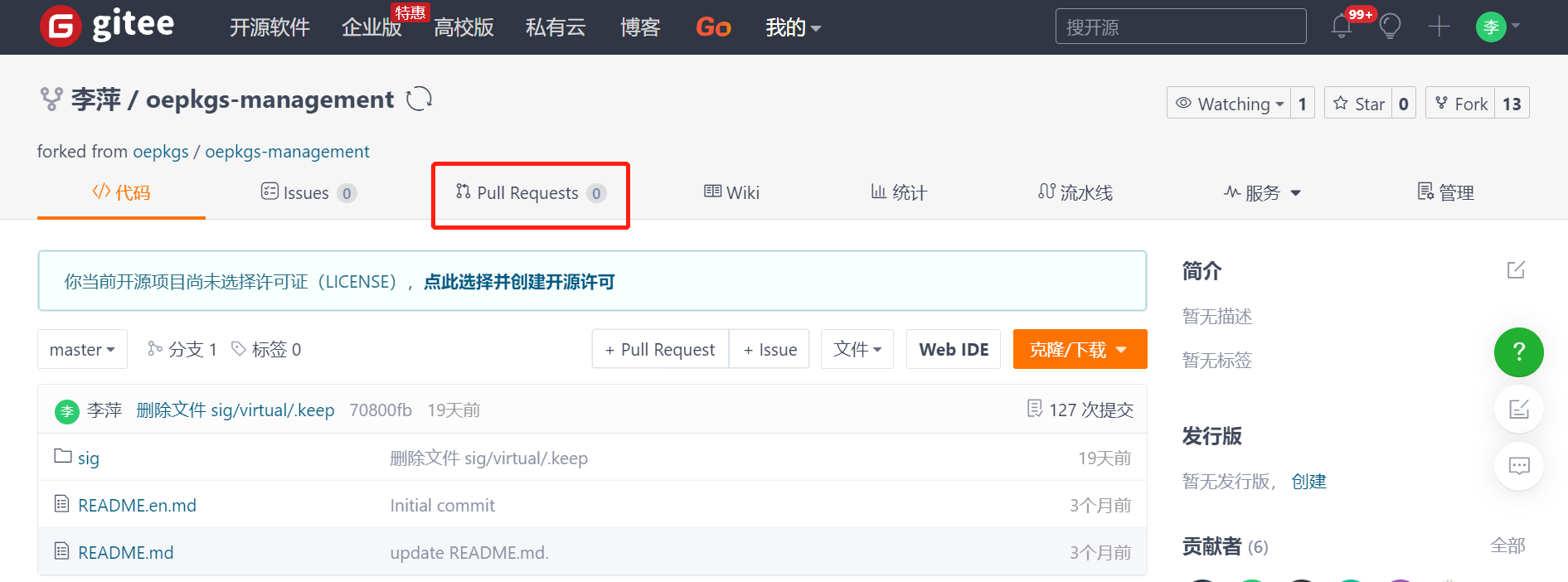
How to check the location of a software package?⚓︎
You can use the website https://search.oepkgs.net/ to search for the packages that are imported into the software.
How to download and use the packages from the repository?⚓︎
After you have checked the location of the package in the repository on https://search.oepkgs.net/, you can open the details page of the package and follow the installation instructions to download and use the package.